everyday notes,
by hand.
A notebook for iPhone that looks and sounds like paper, and still finds anything, syncs, and reminds you on time.
Download on theApp Storefree for good · no account · no ads
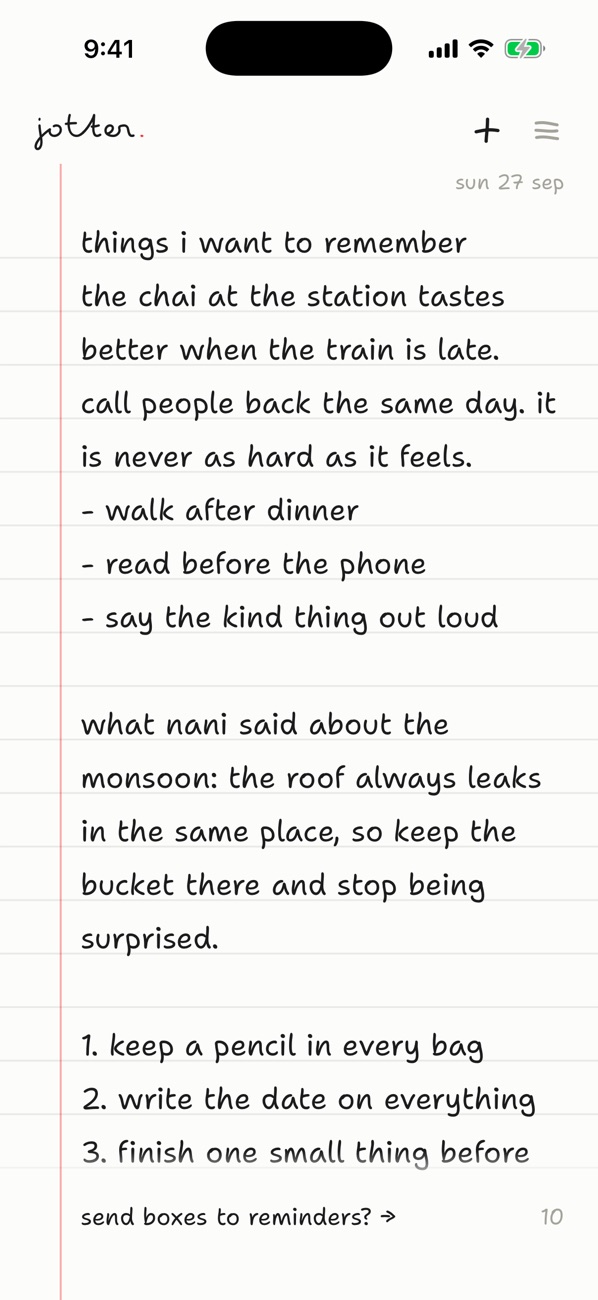
it's paper until you need it to be software.
just write
Open it and write. No titles, no folders, no setup. Turn the page sideways like a real notebook.
boxes that remind you
Write “dentist, friday 10am” and the box reminds you when you said, or a little before. Tick it right from the notification.
fourteen hands
From a neat everyday hand to flowing cursive. Light, dusk or night paper; ruled, dotted, squared or plain.
find anything
Every word on every page, searchable. Every open box in the notebook, gathered on one page.
your own iCloud
Pages sync through your iCloud. Two phones editing one page merge line by line, so nothing is lost.
yours alone
Lock the notebook with Face ID. No account, no tracking, no ads. We never see a word you write.
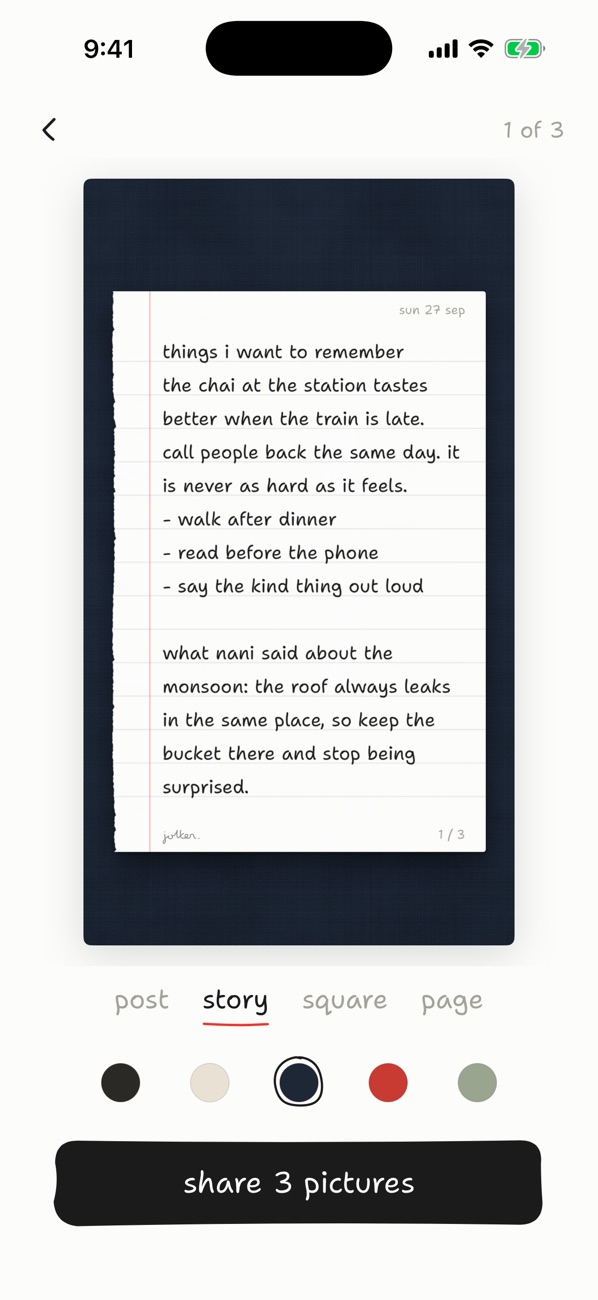
share a page as a screenshot the page itself.
Torn out along its binding and laid on cloth, linen or ink, sized for a post, a story or a message. Long pages carry on across a few pictures, never cut.
free, and jotter pro.
the notebook
free, for good
- unlimited pages, boxes and lists
- find, from above, open boxes
- widgets, Siri and sharing
- two hands, light paper, every ruling
- export as text
jotter pro
$4.99 a month · $14.99 a year · $39.99 once
- reminders on your boxes
- iCloud sync across devices
- dusk and night paper, twelve more hands
- the Face ID lock
- the whole notebook as a PDF
Prices in US dollars; your local price is shown in the App Store before you buy. Monthly and yearly plans are auto-renewing subscriptions. Payment is charged to your Apple Account at confirmation of purchase. A subscription renews automatically unless it is cancelled at least 24 hours before the end of the current period, and your account is charged for renewal within 24 hours before that period ends. Manage or cancel any time in your App Store account settings. The lifetime plan is a one-time purchase. See the terms of use and privacy policy.
support.
quick answers
- Restore pro: reach for any pro feature, then tap “restore”.
- Cancel: iPhone Settings → your name → Subscriptions.
- Refunds: handled by Apple at reportaproblem.apple.com.
- Torn out a page by mistake? It waits 30 days in “torn out”.